Most of my content work is B2B. The projects have multiple stakeholders, layered constraints, and language that must stay precise. A vague prompt produces vague output. A structured prompt produces something I can actually edit and ship.
This is the four-part prompt structure I reuse whenever Grok needs to understand a B2B content project.
Let’s see what it does on a real Tuesday.
The Four Blocks
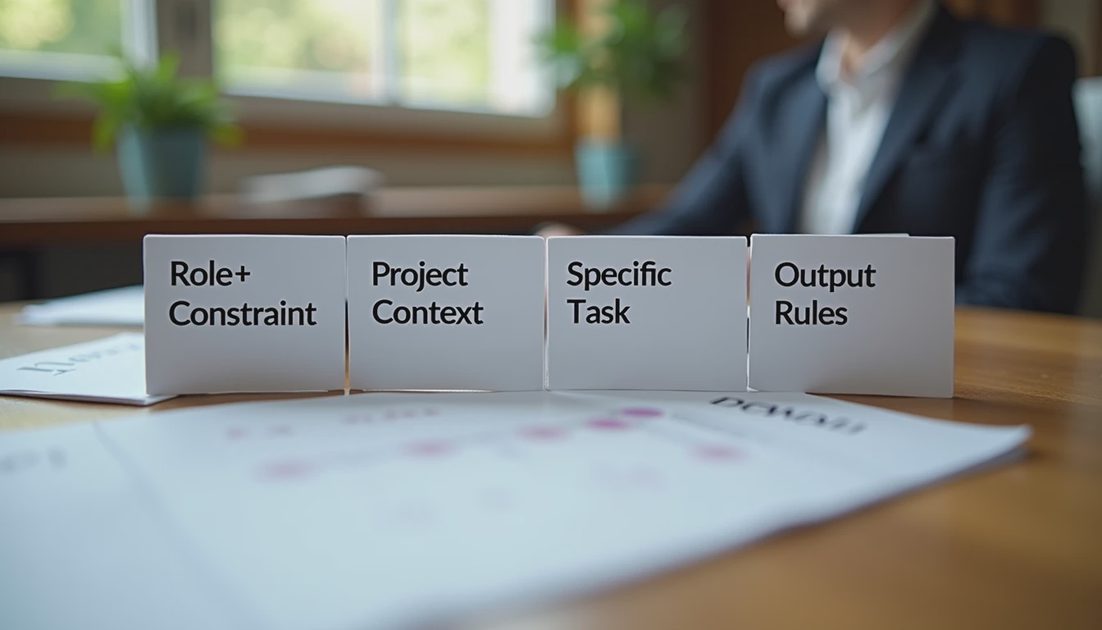
Every project-level prompt I write contains these blocks in order:
Role + Constraint
Project Context
Specific Task
Output Rules
I keep each block short. Long blocks invite Grok to invent structure I did not ask for.
1. Role + Constraint (always first)
Example:
“You are assisting a content operations manager at a B2B SaaS company. Do not invent product claims, customer results, or internal decisions. If information is missing, say so.”
This block sets the relationship and the safety boundary in two sentences.
2. Project Context (only what is needed)
I include:
Audience (who will read the final piece)
Goal of the content
Any hard constraints (length, must-include points, tone)
I exclude:
Internal politics
Unannounced features
Confidential metrics
3. Specific Task
One clear request. Examples:
“Turn the notes below into a content brief outline.”
“Rewrite the draft to improve clarity while keeping every factual claim unchanged.”
“List the open questions that still need stakeholder input.”
4. Output Rules
I specify format and limits:
“Use short paragraphs and bullet points.”
“Flag any claim that is not supported by the provided material.”
“Keep the total length under 400 words.”

Real Example (Shortened)
Role + Constraint
You are assisting a content operations manager. Do not invent claims.
Project Context
Audience: mid-market operations leaders. Goal: explain a new reporting feature. Constraint: no more than 600 words, must mention audit trail.
Task
Create a structured outline for a product page section.
Output Rules
Bullet points only. Mark any missing information as [NEED INPUT].
The output from this structure is almost always editable in under ten minutes. Unstructured prompts on the same material regularly required twice as long.
Why the Order Matters
Putting the constraint first reduces invention. Putting context before the task keeps Grok from guessing the audience. Putting output rules last gives a clear finish line.
I have tested reversing the blocks. Results got messier. The current order survives real deadlines better.
Block | Purpose | Common mistake if missing |
|---|---|---|
Role + Constraint | Safety and relationship | Invented claims |
Project Context | Audience and limits | Wrong tone or scope |
Specific Task | Clear request | Generic output |
Output Rules | Usable format | Long, unfocused text |
What I Still Do by Hand
Even with a good structure I still:
Verify every factual claim against source material
Adjust tone for the specific stakeholder who will see it
Add any context that was too sensitive to paste
The structure does not remove the human check. It makes the check faster.
Less hype, more shipped work. A prompt is only as good as the edit time it leaves behind. This four-block version consistently leaves me with less cleanup and clearer handoffs.
Common Adjustments I Make
For sensitive projects I strengthen the constraint block: “If any requested detail is missing from the material, respond with [MISSING] instead of guessing.”
For tone-sensitive pieces I add one sentence to context: “Match the level of formality in the source notes; do not make it more corporate.”
For outlines I specify “no full paragraphs—bullets and short phrases only.”
These small additions keep the structure flexible without turning it into a new long prompt every time.
What I Measure
After each use I note:
Minutes spent writing the prompt
Minutes spent editing the output
Whether the output required factual correction
If editing time regularly exceeds ten minutes, I revise the relevant block. The structure is only kept if it continues to reduce total time.
I have shared this four-block approach with two colleagues. Both reported faster first drafts and fewer invented details once they stopped writing free-form prompts. The structure itself is simple enough to remember under deadline pressure, which is the only condition that matters on a real Tuesday.
When I Break the Structure
I abandon the four blocks only for very short, low-risk tasks (single email rewrite, quick bullet cleanup). For anything that will be seen by multiple stakeholders or that carries factual weight, the full structure stays in place.
The discipline is the point. A consistent prompt shape produces consistent edit patterns. Over time I learn exactly where Grok still needs help, and the human check becomes faster because the failure modes are familiar.
This is not a sophisticated system. It is a repeatable one. In content operations, repeatable beats sophisticated when the calendar is full and the handoff has to be clean.
I keep the four-block template in a plain-text snippet that I can paste in two seconds. The speed of starting the prompt matters as much as the quality of the output. If the structure itself becomes friction, people stop using it. Mine has stayed light enough to survive real Mondays.